Ready-made flows
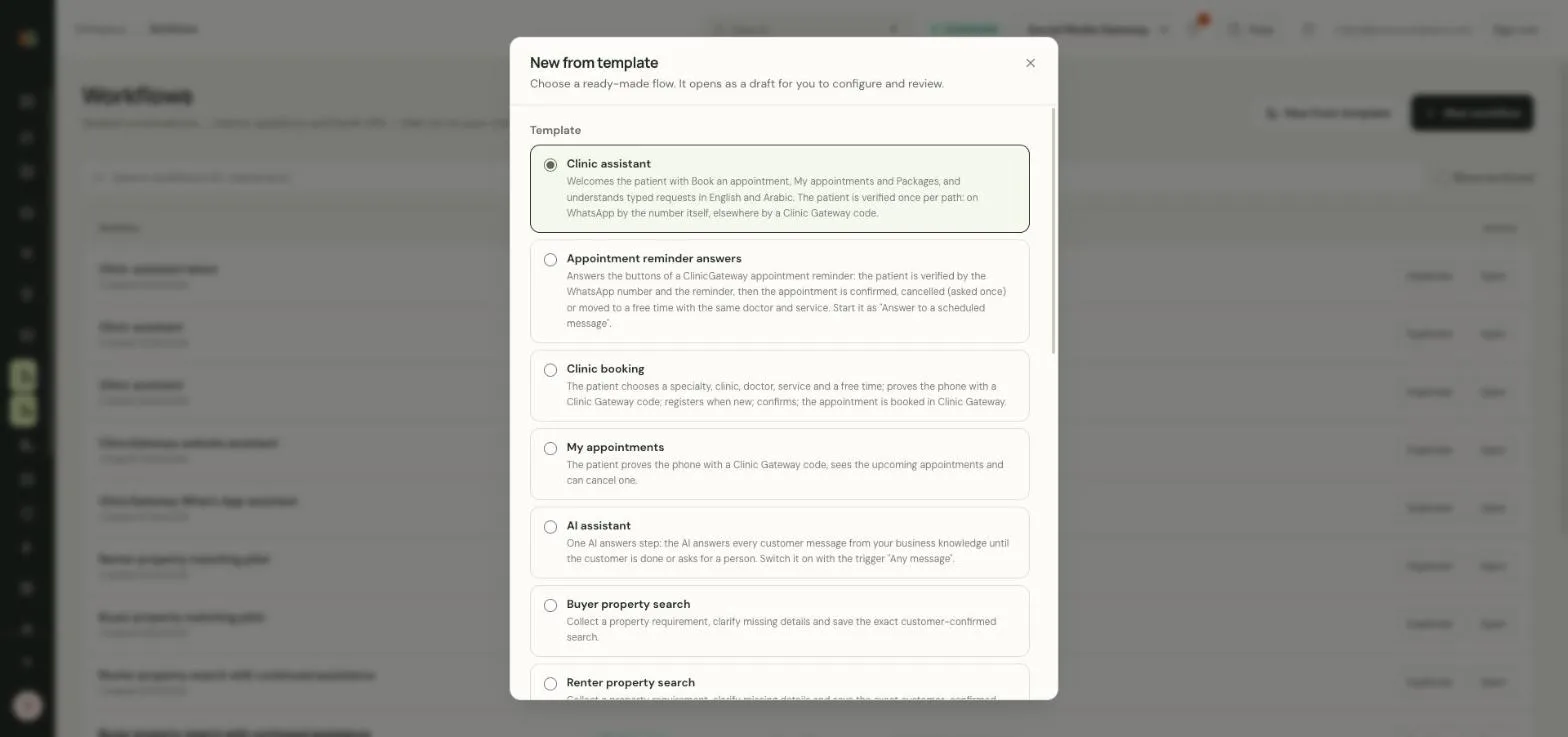
Start from clinic booking, appointment reminders or property searches, then adjust.
Use configured workflows, reminders and change-based notifications to keep customer conversations moving.
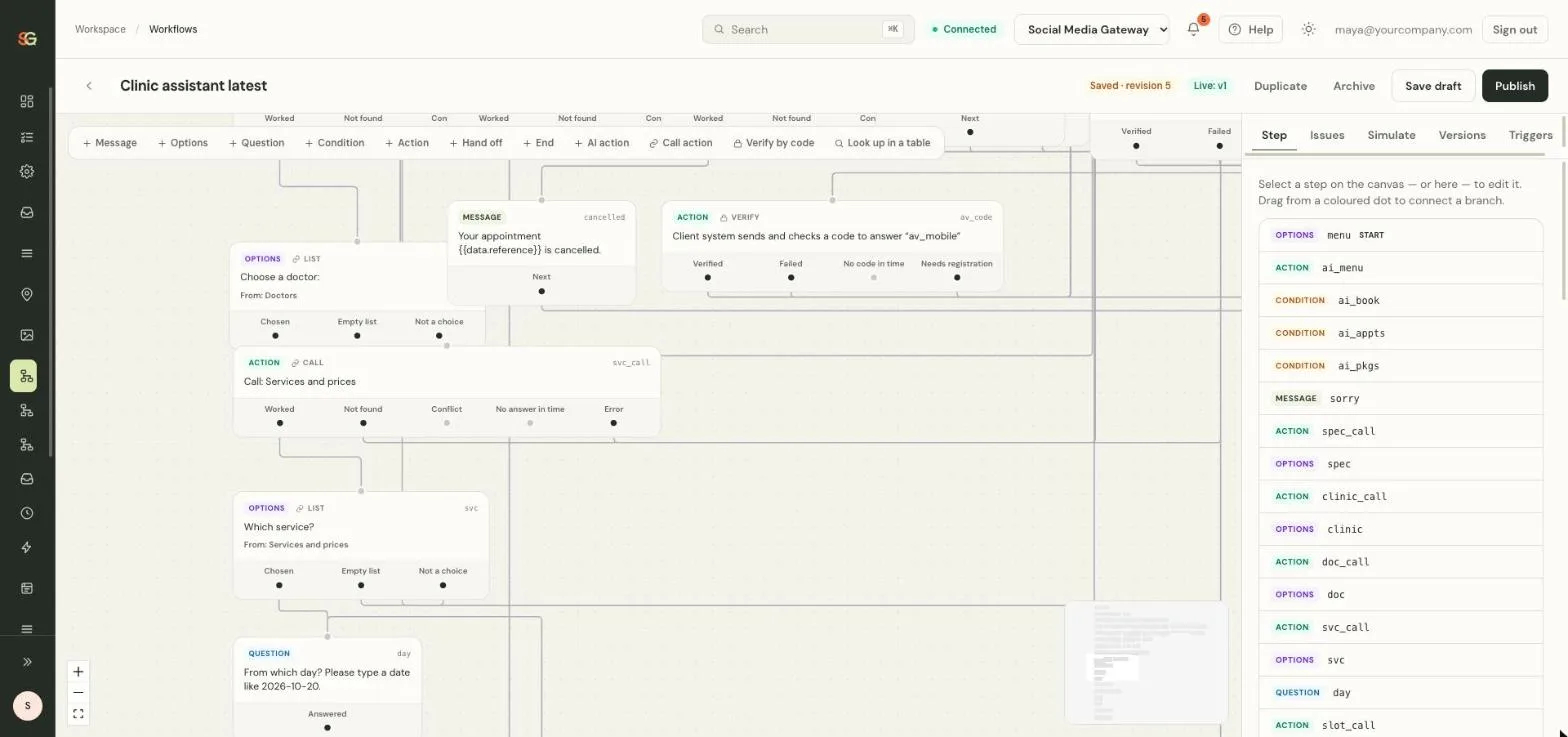
Start from clinic booking, appointment reminders or property searches, then adjust.
Scheduled messages with reply buttons such as I’ll come, change time or cancel.
When a row in your sheet changes, a change rule can send the next update.
Guide customers through questions, choices and next actions using a workflow suited to your business.
Use supported presets and configured change rules to trigger relevant updates. Channel templates and consent requirements still apply.
Protected changes need the required verification and customer confirmation. A connected system must confirm success before it is reported.

Guided flows collect details, confirm important actions and remind customers, while your team handles the conversations that need a person.
Create your account Illustrative photo. Interface details use sample data.Product screens are from the SM Gateway application with sample data. Cards and photos are illustrative.
Connect to our application’s chat service to speak with us. Chat may use browser storage to recognize your visit.
Read our privacy informationOther ways to contact us