

Capture the search
Budget, bedrooms, areas and timeline are collected in the conversation.

Give every buyer or renter a clear next step, from their first message to suitable property recommendations.
Illustrative workflow using sample enquiries. Connected accounts, configured sources and appropriate permissions are required.
Budget, bedrooms, areas and timeline are collected in the conversation.
Saved searches are matched against your properties, within the client’s criteria.
Review mode lets an agent approve recommendations before they reach the client.
Collect the customer’s budget, preferred locations and property requirements in the conversation.
Let the customer confirm their needs, then match against your configured property inventory.
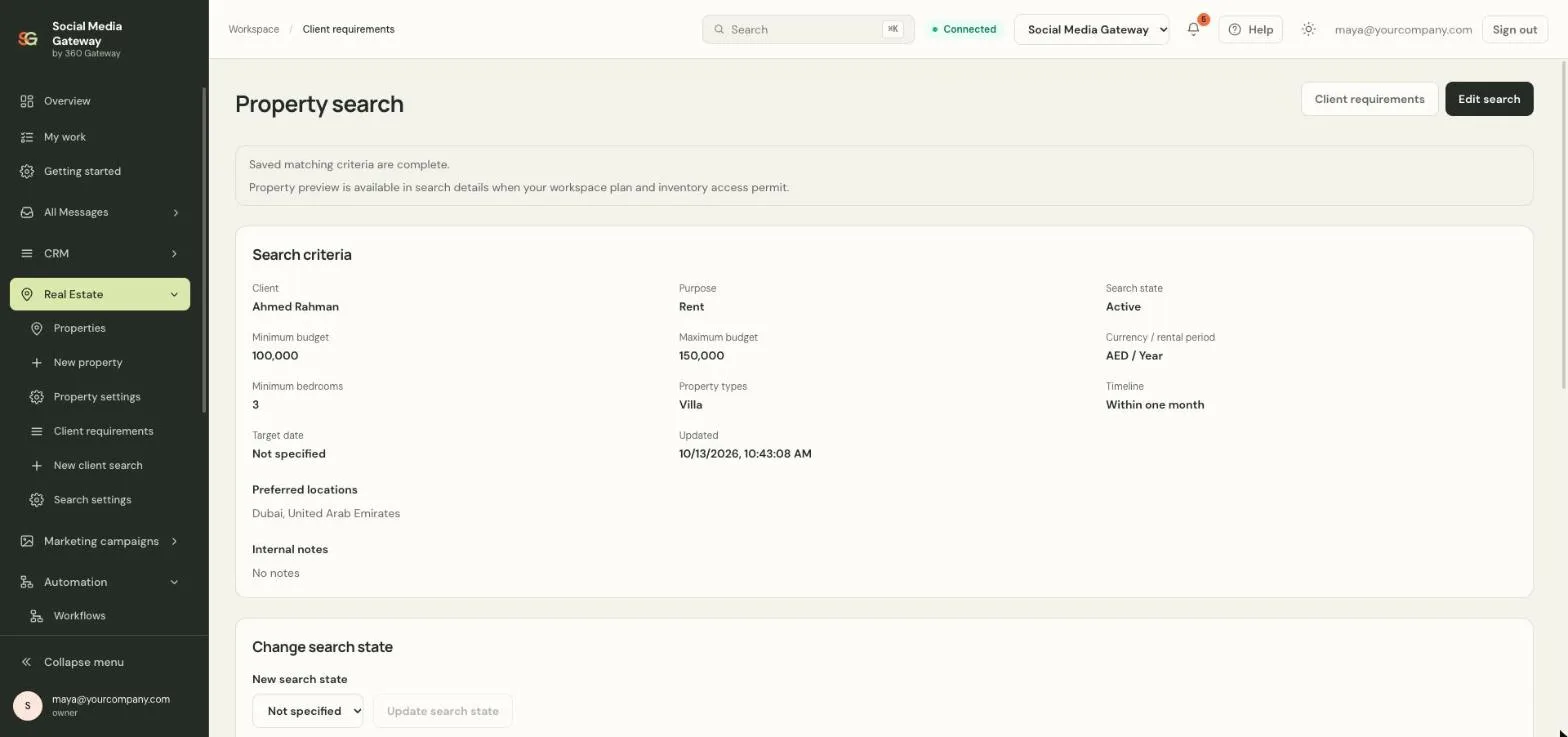
Review recommendations and assign follow-up to an agent. Retain the search context when colleagues take over.
Matching depends on your inventory and configured review mode. A recommendation does not reserve a property or schedule a viewing.

Buyer and renter enquiries become saved searches with an owner, so agents spend time on qualified clients instead of repeating questions.
Create your account Illustrative photo. Interface details use sample data.Product screens are from the SM Gateway application with sample data. Cards and photos are illustrative.
Connect to our application’s chat service to speak with us. Chat may use browser storage to recognize your visit.
Read our privacy informationOther ways to contact us